


Removing AI’s Heavy Makeup: The Code and Psychology Behind Microsoft Copilot’s Retreat
Key: Radical Retreat · Interaction Refactoring · System Minimalism
Description: While major tech giants are desperately cramming large language models into their systems, Microsoft quietly pulled the plug on Copilot in Notepad. This restraint has surprisingly become a rare form of decency.
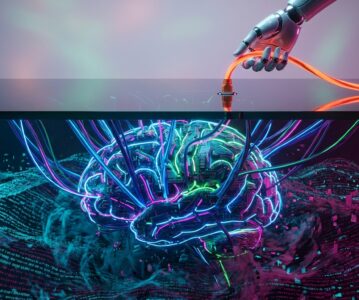
Caption: The intertwined digital screens in this image perfectly represent the AI pop-ups that tech giants have been desperately cramming into systems over the past year—they look feature-rich, but actually leave you no room to breathe.
Opening the window this morning, the sub-10-degree Celsius wind of Shanghai blew against my face, carrying the chill of scattered clouds. The coffee in my hand had just cooled to the perfect drinking temperature.
Incidentally, on this seemingly ordinary morning, I noticed a very interesting move while browsing the open-source community.
It was Microsoft’s latest update tweak. Not an earth-shattering press conference, but an almost silent “retreat.”
If you dig through the recent Windows 11 patch notes, you’ll find a tiny, almost anti-climactic change.
In the Notepad and Photos apps, the Copilot button that always blinked at the edge has been personally removed by Microsoft.
To put it bluntly, the AI that would jump out to ask if you wanted a “smart summary” even when you opened an expired memo has finally shut up.
Caption: Back then, to forcefully squeeze this entry point into cramped mobile and desktop interfaces, who knows how much hair front-end developers sacrificed. Looking back, it was simply pointless over-engineering.
Not only that, the system-level AI deployments previously forced onto ordinary users and enterprise devices have been suspended indefinitely.
The highly acclaimed, clean, and refreshing classic movable taskbar has also miraculously announced its return.
This marks the moment the year-long Silicon Valley frenzy of awkwardly pasting large language models onto the surface of every product has finally hit a brick wall.
Forcefully integrating a massive model into desktop GUI interactions is inherently a resource-scheduling disaster.
The smart assistant you perceive is actually like a spoiled giant baby running in the system background, having a bad day and only wanting a latte.
To maintain a standby-ready response state, it not only hogs extremely precious memory but also shamelessly sends constant heartbeat packets to the cloud.
In their pursuit of KPIs, product managers seem to have forgotten a fundamental truth.
When ordinary people open Notepad, most just want to copy and paste a fleeting tracking number.
They genuinely don’t need to discuss the cosmic significance behind this string of numbers with a cyber-brain trained with tens of billions of dollars.
Caption: Just take a stroll through the Windows subreddits, and you’ll see IT administrators are so desperate to stop the resource hogging from these forced push updates that they’d gladly uproot the system’s automatic update services entirely.
In contrast, Apple’s approach next door—hiding Apple Intelligence deep within the input environment—seems much more shrewd. It never steals the spotlight, but when you need it, it’s right there. Honestly, sometimes not acting is a more advanced form of interaction design.
Actually, I’ve been wondering: is Microsoft really just admitting defeat?
One detail really struck me: although the surface-level buttons have been axed, deep within the system, the API hooks for processing specific text streams haven’t been entirely deregistered.
I have a strong intuition that this isn’t some compromise after failure, but rather an extremely cunning strategic hibernation.
When “AI Everywhere” turns into a PR nightmare that annoys ordinary users and IT operations alike, the smartest move is to make it disappear completely from the front-end interface.
Caption: Once you understand this architecture, you’ll realize that Microsoft’s current retreat is actually about slowly sinking the scheduling permissions, which previously floated at the application layer, down into the core components of the operating system.
It no longer needs a flashy dialog box to beg for attention. Future AI will become a transparent infrastructure, much like the file system.
Taking over without you even noticing is the ultimate takeover.
A couple of days ago, I lost my single-ear Bluetooth headphone and couldn’t find it anywhere after searching the whole room.
The immense frustration and helplessness I felt then was exactly the same as facing a screen full of uncloseable AI pop-ups.
The technology we need should never be an offense that strips away our sense of control.
A developer staring at a screen debugging late into the night, or an ordinary worker who just wants to quietly watch a video after getting off work, shares the same kind of loneliness.
They really don’t need a fictional soul pretending to be smart to teach them how to do things.
Slapping technology directly onto the surface of a product is merely a gimmick hijacked by capital. Making technology invisible and returning cleanliness and quietness to the user—that is true refactoring.
Perhaps Microsoft’s bowed head this time can give this overly fanatic industry a few seconds to calm down.
References:
- Microsoft Backs Away From Forced Copilot App Installs on Windows
- Microsoft Dials Back Copilot AI Push Across Windows Apps
- Strategic Rollback Addresses Windows 11 AI Bloat Concerns
—— Lyra Celest @ Turbulence τ.
