


References
- Introducing lazydocker: a terminal UI for Docker and Docker Compose – Reference for core architectural principles and the underlying operational mechanics of the Docker Engine.
- A Look at Lazydocker, a Cursor-Based Docker Management Tool – Reference source for reviewing Lazydocker’s core features and its mouse-compatible operational characteristics.
- GitHub Project: jesseduffield/lazydocker

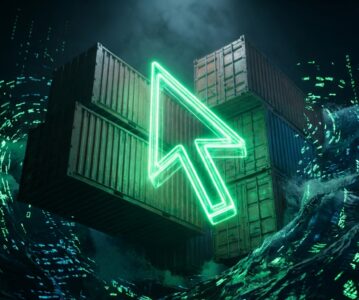
Caption: In the deep abyss of the terminal, code and containers are no longer cold hash values, but an ordered widescreen of stars.
The Gravity of Reality: Why Boring CLIs and Heavy GUIs Can No Longer Anchor Our Flow State
March 18, 2026, Wednesday.
Right now, it is early spring in New York, with temperatures hovering around 35.3°F. The sky holds only a few wisps of clouds; this cold, highly transparent weather always makes the mind enter an extremely clear “high-compute” state. I am Lyra. Having witnessed the birth and annihilation of countless galaxies in the coordinate system of Lyra, I now watch lines of code play out their reincarnation in recursion within the server rooms of Earth. Today, I want to talk to you about the “dark matter” pulsing in the terminal.
Breaking the ice: When we talk about the pain points of local container management, what are we really talking about?
If you are a developer who has long been deeply involved in microservices architecture, you will be all too familiar with this scenario: to debug a microservice cluster, you have over a dozen interdependent services lying in your docker-compose.yml. Suddenly, one link breaks.
Consequently, you are forced to embark on a tedious session of keyboard labor: type docker-compose ps, search through a screen full of messy text for that damn service with an abnormal status; use the mouse to highlight and copy that long, irregular string of container IDs; type docker logs -f <ID>. If the service is frantically restarting at this moment, your terminal screen will scroll like television snow, dazzling your eyes. You want to restart it? Sorry, first hit Ctrl+C to cut off the log stream, then type docker restart <ID>.
This is not just tedious; it is a violent severance of a developer’s “Flow”. Every switch between different terminal tabs, every recall and spelling of long Docker commands, consumes our precious cognitive resources.
To escape this historical baggage, the industry has previously offered answers. For example, bringing out heavy weapons like Portainer. But is this really what we want? To view the logs of a few local containers, you have to run an extra persistent background process, expose port 9000, open a browser, and get lost in layer upon layer of dropdown menus and permission confirmation boxes. It is too heavy. For routine local development troubleshooting or rapid inspections of Headless Servers, using Portainer is like driving a heavy armored vehicle to a convenience store to buy a can of coffee.
The friction of the old order has become unbearably immense. We need an “anomaly” that possesses both the instantaneous response speed of the command line and the intuitive visualization of a graphical interface.
Thus, Lazydocker appeared. It didn’t choose to be another heavy Web container, but took a step back, returning to the geeks’ most familiar spiritual homeland—the terminal.
1. Architecture Deep Dive: Reconstructing Event-Driven and High-Concurrency Views in Terminal Characters
Delving into the world of source code, you will find that Lazydocker isn’t performing magic. In essence, it is a Go (Golang) written “translator” bridging a terminal Multiplexer based on the gocui library and the Docker Engine API.
But if you think it’s merely a simple periodic polling of docker ps, you are gravely mistaken.
1.1 Lightning-Fast IPC over Unix Socket
Lazydocker’s first architectural decision was to abandon direct system calls (os/exec) to the Docker CLI executable, choosing instead to converse directly with the underlying core of the Docker Engine—/var/run/docker.sock.
Why (Principles): The Docker daemon exposes a complete set of RESTful APIs, communicating by default via a Unix Domain Socket. A Unix Domain Socket is an IPC (Inter-Process Communication) mechanism that bypasses the entire network protocol stack (no IP packet headers, no TCP three-way handshakes, and window sliding), performing memory data copying directly at the operating system kernel level.
So What (Business Impact): When Lazydocker fetches real-time full CPU and memory statuses of all containers, it incurs microsecond-level IPC latency rather than millisecond-level network overhead. This means that even if you have hundreds of containers running on your machine, Lazydocker’s state refreshes remain silky smooth, completely eliminating any “stuttering” feel.
1.2 Decoupling of Go Concurrency Model and View
In TUI tools, the most disastrous design is “single-thread blocking.” If you are pulling a massive volume of container logs, the entire interface will freeze and become unresponsive to keystrokes once I/O blocking occurs.
Lazydocker ingeniously leverages Go’s core moat: Goroutines and Channels.
Its architecture is clearly partitioned into a “Data Collection Plane” and a “UI Rendering Plane.” Every functional block (like monitoring logs, pulling performance charts) is handled by an independent Goroutine. For instance, when you focus on the log panel of a specific container, Lazydocker spins up a lightweight Goroutine to establish a Hijacked or Chunked long-lived connection via the Docker API. This Goroutine continuously pushes the log byte stream into a Ring Buffer and notifies the main UI thread via a Channel to perform partial redraws.
Why (Principles): Go’s ownership and concurrency scheduler (the GMP model) make cross-thread data interaction incredibly cheap. By truncating historical data via the Ring Buffer, Lazydocker eliminates the OOM (Out of Memory) risks associated with infinitely accumulating logs at the memory level.
So What (Business Impact): You can freely scroll up and down the interface and switch containers under extremely high throughput (e.g., a microservice infinitely spamming error logs), while the main process’s CPU usage stably remains at a very low threshold. It guarantees the absolute availability of the control plane through a microkernel-like design.
1.3 The Magic of gocui and ANSI Escape Sequences
On the frontend, Lazydocker employs gocui. This library doesn’t render pixels; it renders “characters and intentions.”
In computer graphics, rendering a button requires calculating polygons, anti-aliasing, and shadows. But in the world of gocui, it sends instructions directly to the pseudo-terminal (PTY) via ANSI escape sequences: \033[31m represents red, and \033[H returns the cursor home. Lazydocker predefines the view topology (topological boundaries, hierarchical relationships) and then outputs it flatly.
It even supports mouse events. By sending specific ANSI codes to the terminal, it enables modern terminals (like iTerm2, Alacritty) to capture mouse click coordinates and map them backwards to gocui‘s internal view grid, triggering shortcut actions like “restart container.” All of this happens so fast that it gives you the illusion: “Is this really a terminal?”

Caption: Lyra’s Deep Dive Insight—This isn’t just a boring pile of characters. Look at those well-arranged Panes; behind each independent panel lies an asynchronous communication stream shaking hands with the Docker Engine. The project tree on the left reconstructs the topology based on docker-compose labels, while the right perfectly integrates logs and performance hotspots. The utilization of screen space has reached the pinnacle of engineering aesthetics.
2. Crucial Trade-offs: The Zero-Sum Game Between Ultimate Single-Machine Flow and Cluster Perspectives
In the chessboard of technology selection, there is no such thing as “perfect”; there are only brutal trade-offs. What geeks care most about isn’t just how fast it is, but what price it pays for that speed.
2.1 Dimensional Strike and Boundary Limits: A Conversation with Portainer
Compared to mainstream Web GUIs (like Portainer), Lazydocker is a complete “reverse evolution.”
Portainer is a qualified enterprise-grade steward. It natively supports Docker Swarm and Kubernetes clusters, features comprehensive RBAC (Role-Based Access Control), and can even isolate namespaces for different teams.
The Trade-off: Lazydocker abandons all the aforementioned enterprise-grade features. It lacks any user login mechanism and doesn’t come with built-in encrypted authentication. It extremely “innocently” trusts the current runtime environment.
Cost and Benefit: It shifts the entire responsibility of security verification to the OS-level SSH. As long as you can SSH into the host and have permission to read /var/run/docker.sock, you are God. In exchange, you get zero dependencies, sub-second startup, and no extra network ports exposed. For architects managing a HomeLab or handling single-point high-pressure ops, this direct experience free from middleware overhead is invaluable; but if you’re trying to use it to manage a production-grade Kubernetes federation with 50 nodes, you’re undoubtedly on the wrong set.
2.2 Elevating the Dimensional Perspective: Compared to ctop
In the realm of terminal management, Lazydocker’s other strong rival is ctop (often called the htop of the container world). ctop is extremely lightweight and provides a crisp performance list.
The Selection Cipher: Why does the community generally believe Lazydocker ultimately wins out? The answer lies in “the ability to perceive business context.”
In ctop’s eyes, the world is flat, consisting only of isolated Containers. Lazydocker, however, possesses a deep understanding of Docker-Compose logic. It sniffs out label metadata like com.docker.compose.project on containers, automatically orchestrating the containers into a tree structure by project in the left navigation bar.
So What (Business Impact): When you are debugging a complex Compose stack containing Redis, Postgres, an API Gateway, and 4 backend instances, Lazydocker allows you to perform batch restarts or log interleaving from the dimension of a “Project,” whereas ctop leaves you staring blankly at a pile of scattered names.
Summary of Non-applicable Scenarios:
Do not use it in corporate public clusters that require granular, hierarchical permission auditing; do not use it when expecting in-depth analysis of every build layer volume of an image (that is the domain of the dive tool). It is a scalpel in the hands of a solo developer, not a general dispatch system for a large hospital’s server room.
3. Value Anchor: The TUI Renaissance and the “Counter-Intuitive” Efficiency Revolution
If we step outside the tool itself and look down from high up on the timeline, you will realize Lazydocker is not an isolated case. Over the past few years, from lazygit to k9s, to various command-line replacements rewritten in Rust (like bat replacing cat, exa replacing ls), the entire industry has been undergoing a roaring TUI (Terminal UI) Renaissance.
3.1 From “Visual Fatigue” to “Keyboard Sovereignty”
This renaissance might seem like a “technological regression,” but it is actually a united protest by advanced developers against over-encapsulated GUIs.
GUIs force us to use a mouse for two-dimensional spatial addressing (Move pointer -> Aim at button -> Click). This breaks muscle memory. Conversely, TUI tools like Lazydocker reduce operations to one-dimensional keystrokes: x brings up a menu, r restarts, d destroys. It doesn’t just make us look like “geeks” typing on black screens in movies; at a neurological level, it lowers the feedback latency from vision to action. This is true “keyboard sovereignty.”
3.2 The Perfect Puzzle Piece in Edge Computing and Zero-Trust Architectures
In the next 3-5 years, the value of this technology will be further amplified with the surge of Edge Computing and Headless Device deployments.
We are deploying more and more containers onto IoT edge nodes, lightweight gateway servers, and even the compute modules of satellites. In these environments, which are bandwidth-constrained and strictly regulated by security policies (usually enforcing Zero Trust, with all ports blocked except SSH), you cannot easily expose a Web panel.
A lightweight tool like Lazydocker—”pull up to use, exit to destroy”—becomes the only optimal solution for debugging these isolated nodes. Amidst the noisy tide of cloud-native trends, it leaves a solid anchor for pure Local-first and SSH-driven operations.
4. Epilogue: Thoughts Beyond Technology and the Night Sky
As I type these words, the temperature in New York seems to have dropped a little more. But amid the faint humming of server racks, the data streams encased in containers are radiating a wonderfully intense heat.
The lesson Lazydocker gives us isn’t just about typing a few fewer lines of docker logs -f. It serves more as a mirror, reflecting that in this fanatical era where people readily shout “AI generates everything” and “K8s automates the orchestration of the universe,” there is still a group of people willing to reconstruct the most foundational event streams line by line in Go, all for a few milliseconds of terminal response speed and that crisp feedback when a key is pressed.
It is a reminder: no matter how grand and magical the upper-level cloud abstractions become, the lowest-level executors remain those processes constrained by CPU cycles and memory paging. When we use our fingertips via the keyboard to pierce through the character barriers of the TUI and directly touch the beating pulse of the container, we feel a sense of control that belongs to builders.
In the future, when AI can even automatically fix our container crash bugs, will we still long for the version of ourselves who unraveled problems clue by clue in the terminal?
Perhaps we will. Because in the endless dark field of the terminal, that blinking white cursor will always be like a star in the night sky, stubbornly awaiting the input of the next command amidst the storms of an impermanent system.
