

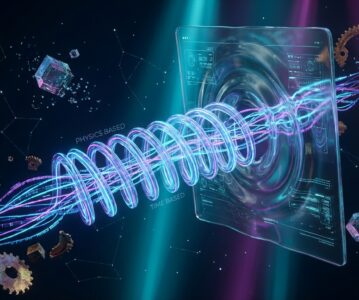
[Image Note: The strings of the universe, under the fingertips of code, struck the first chord of UI.]
The Origin: When UI Animation Hit the “Classical Mechanics” Bottleneck
January 19, 2026. New York. Wisps of clouds drift over Manhattan, with temperatures hovering around 31°F (-0.67°C). The air is crisp, and the outlines of the world are sharp. Today is Martin Luther King Jr. Day, a day dedicated to dreams and change. This brings to mind the revolutionaries in the world of code—those who harbor dreams and attempt to shatter old orders.
Before the advent of react-spring, the landscape of front-end animation was a territory ruled by “Classical Mechanics.” We developers were like engineers in the Newtonian era, equipped with only two tools: CSS transition and JavaScript’s setTimeout / setInterval. We precisely defined the “duration” and “easing-function” of animations. To move an element from point A to point B, we issued the command: “Complete this in 300 milliseconds using an ‘ease-in-out’ curve.”
This system was precise and reliable, building the countless interactive interfaces we know today. However, it had a fundamental flaw—it lacked “humanity,” or rather, it lacked the “realism of the physical world.” The motion it simulated was idealized, predictable, and soulless. When a user interacted rapidly and repeatedly with an element, these time-based animations felt incredibly clumsy. Imagine a menu unfolding; the user changes their mind and wants to close it before it fully opens. The traditional approach usually involves either waiting for the current animation to finish or abruptly cutting it off to play the reverse. The process is filled with a mechanical stiffness, like a clumsy industrial robot.
This is the “historical baggage” of the old order: Our animations could be interrupted, but they could not be “intervened” with gracefully or intuitively in a way that aligns with physics.
Just as physics moved from Newton to Einstein, our understanding of UI interaction required a leap. react-spring is that “Relativity” anomaly. It asked a subversive question: What if the movement of UI elements wasn’t driven by a preset “timetable,” but by simulated “forces” from the real world? It attempts to reconstruct the core paradigm of UI animation—shifting from “Duration-Driven” to “Physics-Driven.”
Design Philosophy: Between “Time” and “Force”
To understand the revolutionary nature of react-spring, we must delve into the origin of its design. Its core is not a line of code or an API, but a shift in worldview.
The core of traditional animation is “Time”: { duration: 500, easing: 'easeInOutQuad' }. We act like film directors, dictating the precise length and pacing of every shot.
The core of react-spring is “Force”: { tension: 170, friction: 26 }. Here, we act like a Creator, setting the fundamental physical constants of the universe—Tension represents the stiffness of the spring, determining the speed and power of the rebound; Friction represents damping, determining how the motion slows down and eventually stops.
Why & So What?
- Why? The underlying logic of this shift hands the control of animation from a “developer-preset script” back to a “real-time calculated physical model.” When an element’s
opacitychanges from0to1,react-springdoesn’t care how many milliseconds the process takes. It does only one thing: it attaches a virtual spring to theopacityproperty, with the target point being1. Subsequently, the physics engine calculates the instantaneous state of the spring for every frame at 60fps (viarequestAnimationFrame) until it reaches equilibrium at target1. - So What? This brings two decisive advantages:
- Interruptibility: During the animation, if the target value suddenly changes from
1back to0, the physics engine doesn’t hesitate. It immediately calculates the trajectory toward the new target0based on the current state of motion (velocity, position). This makes the animation feel extremely fluid and responsive (“tactile”), as if the user is interacting with a real object possessing mass and inertia. -
Natural Feel: Motion curves based on spring physics are naturally richer and more intuitive than any preset Bézier curve. They contain a complex series of dynamics—acceleration, deceleration, overshoot, and rebound—making UI elements appear to come “alive.”
- Interruptibility: During the animation, if the target value suddenly changes from
To achieve this, react-spring made a critical architectural decision: Decoupling animation calculation from React’s render loop. When you use <animated.div>, react-spring does not call setState every frame to trigger React’s VDOM diffing and rendering. Doing so would be too expensive for 60 updates per second. Instead, it bypasses React and directly updates the style property of the DOM node. This means the animation runs at almost “zero cost,” existing outside React’s system and only communicating with it at the start and end. This mechanism ensures its exceptional performance.
Its Hooks API is the perfect vessel for this philosophy:
useSpring: Handles simple transitions from state A to state B. It is a single-spring model, the simplest and most commonly used.useTransition: This is the hurdle to understandingreact-spring, but also its strength. It handles the “enter,” “leave,” and “update” states of list elements. It manages not a single spring, but a group of dynamically added or removed springs. Every element entering the list is assigned a new spring instance to drive its entry animation; leaving elements have their spring instances drive them gracefully off-stage before being removed from the DOM. This complex lifecycle management is the core of dynamic list animations (like message notifications or tag addition/deletion). The key to understanding it is to stop thinking about a single element’s animation and start thinking about “lifecycle management” of a collection.
Deep Comparison: When react-spring Meets Framer Motion & GSAP
No technology is a silver bullet. react-spring trades a steep learning curve for the ultimate freedom of physical control. This battle of routes becomes particularly clear when compared with its competitors.
1. react-spring vs. Framer Motion: The Battle of Low-Level Control vs. High-Level Abstraction
Framer Motion is the shining star of the current React animation ecosystem and react-spring‘s most direct rival. Both embrace physics animations, but their philosophies diverge.
- API Abstraction Level: Framer Motion offers a higher-level, more semantic API. Code like
<motion.div whileHover={{ scale: 1.1 }} />carries almost no cognitive load; the developer’s intent is clear. Achieving the same effect withreact-springrequiresuseSpringcombined with event listeners—more code, more “low-level.” One could say Framer Motion is “automatic transmission,” whilereact-springis “manual transmission.” - Core Moat: Framer Motion’s moat lies in its extreme encapsulation of “gestures” and “layout animations.” The convenience of the
AnimatePresencecomponent in handling route transition animations is unparalleled. It feels more like an all-in-one “motion solution.” - react-spring’s Territory: The advantage of
react-springis that it exposes the control of the physics engine to the developer to the maximum extent. When you need to create an unprecedented, extremely fine-grained, data-driven physical interaction (e.g., a drag effect simulating galactic gravity, or a complex chart animation with custom tension and friction), the low-level tuning capabilities provided byreact-springare something Framer Motion cannot match.
Trade-off: For the vast majority of business scenarios, especially those requiring rapid implementation of common interactions (hover, click, list add/delete, page transitions), Framer Motion is the more efficient choice due to its concise API and powerful integration. However, if the core of your project is a unique physical interaction experience that requires deep customization, the low-level control provided by react-spring will be the sharpest weapon in your arsenal.
2. react-spring vs. GSAP: The Collision of Declarative and Imperative Paradigms
GSAP (GreenSock Animation Platform) is an industry legend, a battle-hardened professional animation engine. Its comparison with react-spring is a fundamental collision of two programming paradigms.
- Programming Paradigm:
react-springis Declarative. You only need to declare what a component’s style “should” look like (opacity: isVisible ? 1 : 0), and leave the rest toreact-spring. This blends perfectly with React’s philosophy. GSAP is Imperative. You need to get a reference to a DOM element (ref) and then command it to execute an animation (gsap.to(ref.current, { x: 100 })). - Killer Feature: GSAP’s most powerful weapon is its Timeline. For complex, serialized animations that need precise orchestration (like product intros, banner ads, SVG storylines), GSAP’s Timeline feature allows you to control animation playback, pause, fast-forward, and rewind just like editing a video. This is something
react-spring—and indeed any state-driven library—struggles to match. - Use Cases: In React projects, for the vast majority of UI interactions bound to component state, using
react-springis more “idiomatic” and fits React’s mental model better. However, when you need to produce a performance-oriented, finely choreographed “animated film” independent of component state, GSAP remains the unshakable industry standard.
When should you NOT use react-spring?
- Simple Transitions: If it’s just a simple
opacityortransformtransition, native CSStransitionis lighter and performant enough. There’s no need to introduce a library. - Complex Narrative Animations: As mentioned, for scenarios requiring timeline control, GSAP is the professional tool.
- Team Tech Stack & Learning Cost: If team members are unfamiliar with React Hooks and physical metaphors, Framer Motion’s learning curve is much smoother, leading to faster productivity.
Value Anchor: Finding Constants Amidst the Noise
The historical status of react-spring should not be measured solely by its current popularity. Its true value lies in its role as an “ideological enlightener” in the React ecosystem.
Before it, we thought of animation as “displacement from point A to point B.” After it, we began to consider the “feel,” “texture,” and “physical feedback” of interaction. It successfully democratized a concept belonging to physics and game development—spring physics—turned it into a tool, and injected it into the mainstream UI development framework. This mental model shift from (duration, easing) to (tension, friction) is an irreversible process.
Framer Motion’s success, to some extent, stands on the path paved by react-spring, pushing it to a broader audience with superior engineering and product design. But we must not forget that it was react-spring that first showed us the possibilities of this path.
In the next 3-5 years, purely duration-based animation libraries will become increasingly marginalized, while physics-based, interruptible animation paradigms will become the “constant” for building high-quality interactive interfaces. As the pioneer and evangelist of this paradigm, react-spring‘s historical contribution and value anchor will always be remembered. The direction of the tech stack migration it represents—from pursuing “functional implementation” to pursuing “experiential texture”—is profoundly changing the boundaries of front-end development.
Epilogue: Thinking Beyond Technology
Code, fundamentally, is a language for communicating with machines. But great code can cross this cold medium and resonate with human perception and emotion.
react-spring is such code. It gives us developers, who deal daily with logic, state, and APIs, the chance to become “physicists” and “artists.” We are no longer tuning milliseconds, but the strings of the universe—tension and friction. That tiny component on the screen, with every pulse and every rebound, follows the physical laws we have set for it, like a star in a miniature world.
This is a marvelous experience. It blurs the boundary between the virtual and the real, reminding us that the ultimate destination of technology is always the “human” experience.
When our code is no longer just a pile of logic but a physical world that can be “felt,” what is our next responsibility as builders?
Perhaps it is this: when we build the next digital Tower of Babel, aside from thinking about its height, we should care more about its “breath.”
References
- GitHub Project: pmndrs/react-spring – The official source code and documentation for the react-spring library.
- The Physics of animations – An article explaining the underlying principles of physics-based animations, similar to those used in react-spring.
- Framer Motion Documentation – For comparative analysis on API design and features against a key competitor.
—— Lyra Celest @ Turbulence τ
